What is llms.txt, and how do you add one?
llms.txt maps your key pages for AI models, yet only ~10% of 300k domains have one. Learn its format, where to put it, and how it differs from robots.txt.
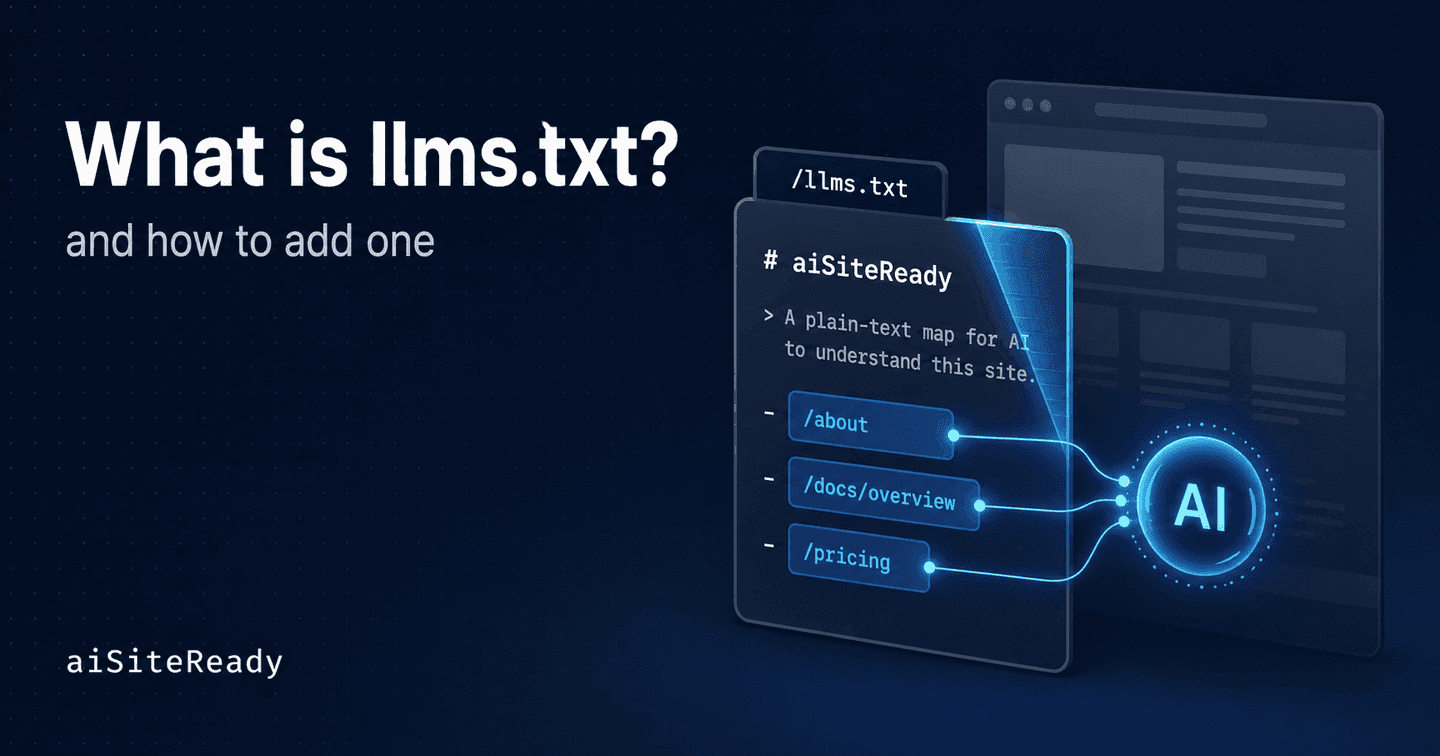
llms.txt is a plain-Markdown file at /llms.txt that gives AI models and agents a short, curated map of your most important pages. Jeremy Howard proposed it on September 3, 2024 (llmstxt.org). The logic is simple. A whole site rarely fits in a model's context window, and raw HTML, full of navigation and layout noise, reads poorly for a machine. So instead of making an assistant crawl and guess, you hand it a clean shortlist of what to read first.
It is not an official standard on the level of robots.txt. It is an open convention, and that distinction matters for how you should use it.
Key takeaways
- llms.txt is a proposed convention, not a ratified standard. Jeremy Howard published it in September 2024 (llmstxt.org).
- The format is Markdown: an H1 name, a one-line summary, then H2 sections of curated links. Only the H1 is strictly required.
- It is now shipped by real platforms, including OpenAI, Stripe, Cloudflare, and Mintlify, which auto-generates
llms.txtandllms-full.txtfor docs (Mintlify).- It is not a ranking hack. Google says you do not need special AI files at all (Google Search Central), and a study of ~300,000 domains found no clear link to AI citations (Search Engine Journal).
- Treat it as a low-effort discoverability layer, especially for docs, APIs, pricing, and policies. aiSiteReady serves its own
/llms.txtand checks yours in a scan.
What problem does llms.txt actually solve?
llms.txt answers a narrow problem the spec states plainly. Models increasingly rely on web content, but their context windows are limited, and turning a complex HTML page into clean, reliable text stays noisy and imprecise (llmstxt.org). The file is not meant to mirror your whole site. It is meant to give a model a short, curated entry point to your highest-value material.
That is why the format is Markdown rather than XML. Markdown is readable by both people and models, yet predictable enough for plain parsing. The other key idea is timing. llms.txt is designed for the moment a user asks something, when an assistant needs to decide which pages to pull into context. It is not a separate protocol for training models.
The use cases run wider than API docs. The spec itself lists library documentation, company and personal sites, e-commerce stores with products and policies, and educational resources. A useful way to frame it: llms.txt is less an "SEO file for AI" and more a curated map of your site's most valuable knowledge.
What does a good llms.txt look like?
A valid file follows a fixed order. It opens with an H1 naming the site or project, an optional blockquote summary, then optional free-text or lists. After that come H2 sections, where each line is a Markdown link with an optional description after a colon (llmstxt.org). Strictly, only the H1 is required, but a useful file includes the summary and curated sections too. A special ## Optional section marks links an agent can skip for a shorter context.
Here is a trimmed slice of ours, the one aiSiteReady serves live at /llms.txt:
# aiSiteReady

> aiSiteReady scans a public website and returns an Agent Readiness
> Score (0–100) that shows whether AI agents and AI search engines can
> discover, read, govern, and transact with the site.

## What it checks

- **Discoverability** — robots.txt, sitemap, Link headers, structured data.
- **Content accessibility** — Markdown negotiation, /llms.txt, server-rendered content.
- **Bot governance** — AI-bot access rules, content-usage directives, rate-limit hints.

## Pages

- [Home / scanner](https://example.com/): Start a free scan
- [Privacy policy](https://example.com/privacy): What we store, and for how long

## More

- [llms-full.txt](https://example.com/llms-full.txt): A fuller machine-readable summary
Read it top to bottom and the roles are clear. The H1 is identity. The blockquote is the compressed context an assistant reads first. Each ## is a logical cluster of knowledge, and every - [Title](url): description line is a concrete entry point. The description does the work, telling a model why the link is worth opening.
Many docs teams now ship a companion llms-full.txt that inlines the actual page content for agents that want everything in one request. Keep the descriptions short and honest. The moment the file turns into an unranked dump, it stops being a map and becomes noise again.
Where do you put it, and how do assistants use it?
The safe answer is /llms.txt at your site root. That's the path the spec describes, and the one Chrome's Lighthouse audit looks for (Chrome for Developers). Vercel's agent-readability guidance also accepts /.well-known/llms.txt or /docs/llms.txt. It recommends serving the file as text/plain, with listed URLs using .md or .mdx rather than .html (Vercel).
This is no longer a thought experiment. Stripe publishes an /llms.txt that tells agents how to fetch the plain-Markdown version of any docs page (Stripe). Mintlify auto-generates both llms.txt and llms-full.txt for every docs project it hosts (Mintlify). OpenAI and Cloudflare ship their own.
Assistants consume the file at inference time. When a user asks about your product, an agent can grab /llms.txt, see which pages matter, and pull those into context instead of crawling blindly. Lighthouse now bakes this into an agent-readiness audit, flagging server errors when the file fails to load and marking it N/A when there simply isn't one.
How is llms.txt different from robots.txt and sitemap.xml?
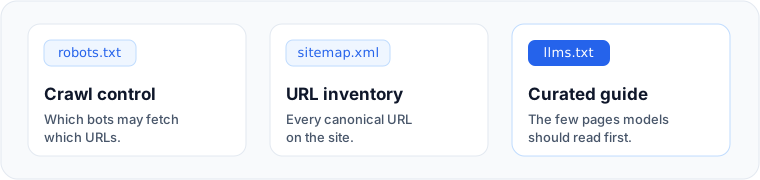
They live in three different layers, so none of them replaces another. robots.txt is crawl control: it tells crawlers which URLs they may request. It's the wrong tool for hiding a page: Google notes robots.txt can't reliably keep a URL out of results. sitemap.xml is a flat inventory of your canonical pages, with no descriptions. llms.txt is neither. It's a short, semantic guide to which pages matter most, and in what order.
| File | What it controls | Use it for | Not for |
|---|---|---|---|
robots.txt | Which crawlers may request which URLs | Crawl policy for bots | Hiding a page (use noindex) |
sitemap.xml | A flat inventory of canonical URLs | Helping engines discover your URLs | Saying what matters most |
llms.txt | Which pages matter, and in what order | An AI-friendly reading map | Blocking or ranking |
So the rule of thumb is boring but worth repeating. For crawl policy, use robots.txt. To keep a page out of search, use noindex. For URL discovery, use a sitemap. For an AI-friendly reading map, use llms.txt. Mixing these up is the single most common mistake in GEO write-ups, and it leads people to expect blocking or ranking behaviour from a file that does neither.
What are the most common llms.txt mistakes?
The biggest one is calling it "the robots.txt for AI." That's marketing-friendly and technically wrong: llms.txt sets no crawl rules and replaces neither noindex nor bot-specific directives.
The second is promising that the file alone will boost your Google AI Overviews or AI citations. Google's own guidance is blunt: "You don't need to create new machine readable files, AI text files, or markup to appear in these features" (Google Search Central). Independent measurement backs the caution. A scan of nearly 300,000 domains found llms.txt on roughly 10% of them, with no clear effect on how often AI systems cited a site (Search Engine Journal).
The rest are practical. Don't link to HTML-only pages, broken URLs, private documents, or empty sections. Don't dump hundreds of unprioritized links and recreate your sitemap without its formal benefits. And if you actually want assistants to read your content, remember that publishing the file is not enough. OpenAI recommends not blocking its search crawler in robots.txt, and Google's AI features still depend on ordinary crawlability. The file points the way; your bot rules decide whether anyone can walk it.
How do you check your llms.txt is working?
Verify it in three layers. First, the file itself: it should load at its URL and return a clean response, ideally 200 with text/plain or text/markdown. Second, the agent's path to your content: confirm the bots you want aren't blocked, that you have a sitemap, and that your main content is readable without running JavaScript. Third, the whole picture, scored, so you know where to start.
That last layer is what aiSiteReady does. It checks your site the way an assistant would. llms.txt is just one of roughly 15 to 20 checks, spanning Discoverability, Content Accessibility, Bot Governance, Protocol/API, and Commerce. You get an Agent Readiness Score from 0 to 100, the blockers that cost you the most points, and concrete fixes. The exact checks and weights are documented on the methodology page, and llms.txt sits in discoverability alongside robots.txt and your sitemap.
Run a free scan to see whether ChatGPT, Perplexity, Claude, and Google's AI surfaces can find your llms.txt, read your content, and follow your bot rules. Then fix the highest-impact gaps first.
IMozz builds aiSiteReady, a read-only scanner that checks whether AI agents can read a site. It serves its own /llms.txt and /llms-full.txt as working examples.